
In the recent past, VPNs were an obscure networking utility that most people outside large businesses and organizations would not have encountered before. Most of us have now seen the ads about VPNs that can make us anonymous online and prevent tracking. These services can improve privacy, circumvent censorship and open up access to geo-locked services such as gaming and streaming.
But, there are some key questions that require answers, including: What is a VPN? How does a VPN work? And, do I need a VPN for my home or business? In this beginners guide to VPNs, we will answer these questions and more to help you make an informed choice for your online security.
What is a Virtual Private Network (VPN)?
When we refer to a VPN, we are talking about commercial VPN providers that are selling a service to customers that want to reduce their digital footprint and improve their online security. There are free VPNs, but they tend to harvest at least some data and they lack the connection speeds that make them a viable choice for most users. The good thing to know about VPN providers is that they typically offer a trial to try before you buy.
Although VPNs are best known for their security applications they have been used by larger organizations for some time. This technology allowed these entities to give their workers access to their digital resources regardless of their physical location. As you might imagine, this was a revelation for remote workers a long-time before the Covid-19 lockdowns.
VPN vs Other Privacy Software Types
| Feature | VPN Software | Anti-Tracking Software | Encryption Software | Firewall Software |
|---|---|---|---|---|
| Purpose | Masks your IP address and encrypts internet traffic to ensure privacy. | Prevents websites and services from tracking your online activities. | Secures your data by converting it into an unreadable format without a key. | Monitors incoming and outgoing network traffic to block unauthorized access. |
| Primary Function | Anonymizes online activity by hiding location and securing data. | Blocks cookies, scripts, and trackers used for personal data collection. | Protects files, emails, and communication from unauthorized access. | Blocks harmful traffic and malicious attacks from entering or leaving a network. |
| Security | Strong encryption to protect data from hackers or third parties. | Prevents unwanted data collection but does not encrypt data. | Ensures data confidentiality by encrypting files or messages. | Blocks malicious traffic but doesn’t necessarily encrypt data. |
| Privacy | Provides high privacy by hiding the user’s real IP address. | Protects privacy by limiting the data collected about user behavior. | Ensures privacy of sensitive information by encrypting files. | Limits the exposure of devices and services to external threats. |
| Bypass Geo-Restrictions | Yes, allows access to region-restricted content by masking location. | No, does not assist with bypassing geo-blocks. | No, focuses on securing data, not bypassing location restrictions. | No, doesn’t affect geo-restrictions. |
| Use Cases | Securing public Wi-Fi connections, accessing restricted content, hiding online activity. | Preventing ad tracking, avoiding surveillance, improving page load speeds. | Encrypting sensitive documents, securing communication, protecting data during transfer. | Preventing unauthorized access, protecting devices from attacks, controlling network traffic. |
| Platform Compatibility | Available on most devices: Windows, macOS, Android, iOS. | Primarily available as browser extensions (e.g., Chrome, Firefox). | Software for encrypting specific files, communications, or devices; available on most platforms. | Can be hardware-based or software-based; available on most platforms. |
| Performance Impact | May reduce internet speed depending on server location and encryption level. | Minimal impact on browsing speed; might slow down page loading due to blocking trackers. | Can slow down the system depending on the encryption process or data size. | Minimal effect on performance, mainly on traffic speed or device accessibility. |
| Examples | NordVPN, ExpressVPN, CyberGhost | Privacy Badger, uBlock Origin, Ghostery | VeraCrypt, BitLocker, ProtonMail | Windows Firewall, ZoneAlarm, Comodo Firewall |
How Does a VPN Work?
When a VPN is activated, your device will create an encrypted connection to a remote server hosted by your VPN provider. This connection is referred to as a “tunnel” and within a company the remote server would usually be the IT department. The internet traffic of the user is routed through the tunnel and then on to the internet.
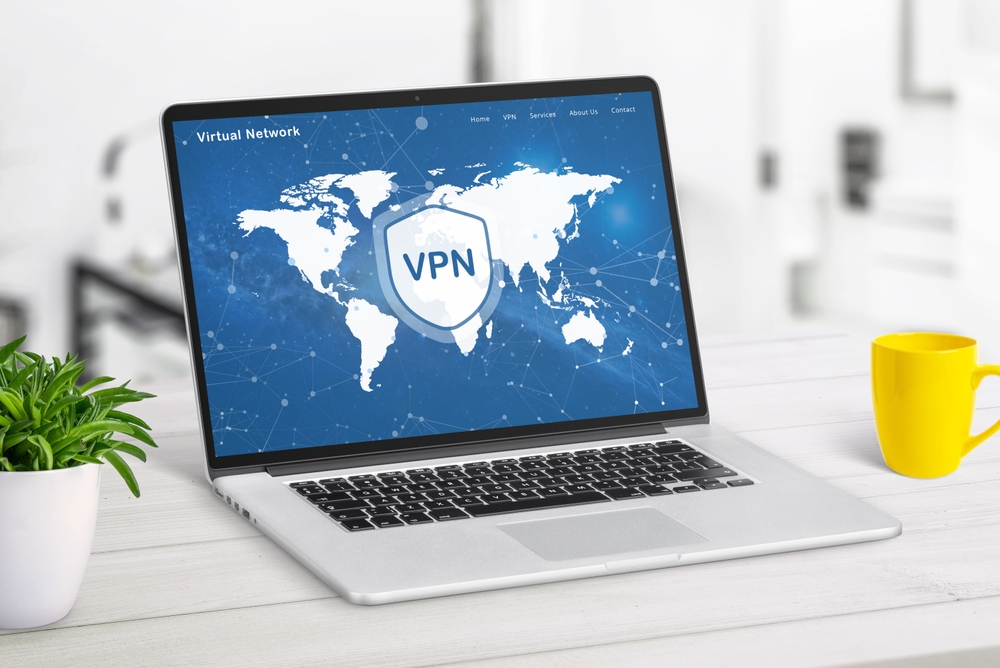
As the user, you may notice a slight slowdown or lag in some cases, but otherwise everything will seem as normal. There is a round trip that the data makes from your device, to the VPN server, through the encryption and back again to your device. This process will change your IP address to a temporary one that’s assigned to that specific online session. There will be multiple servers located in different locations that you can switch to and this will mask your true location. This can dramatically enhance your online privacy and security which is extremely important now and in the years to come,
Can a VPN Provide Complete Online Anonymity?
The short answer is no, but it can improve the strength of your privacy and security, if you use it alongside other more specialized privacy software tools. The entity that knows the most about your online activity is your internet service provider (ISP). The next most knowledgeable entity is likely to be your cell phone carrier.
According to an FTC report conducted in 2021, both will know your private business and they can sell your customer data. Although this data is anonymized, it’s concerning that it can help a company to profit with no prior consent. Those that are concerned about their online privacy and data security will find that a VPN can help. The ISP cannot see your online traffic when you’re using a VPN and it’s harder to track you online. This makes it harder for advertisers and others to track your activities and collect your data.
The process that we outlined above will mask your true IP address with a randomly assigned temporary alternative from the VPN server. But, this doesn’t guarantee anonymity because advertisers can use other methods to track and identify users. Two common examples of these techniques are cookies and website trackers. These are installed onto your device and when you next appear online they may identify your location. So, relying on a VPN alone to solve all your privacy and security problems isn’t a sound strategy and you will need to use other privacy software tools too.
The advertisers and websites you visit may be able to identify you using unique characteristics, such as: your screen size, browser version and more. Most of these details are harmless, but if enough data is gathered it can be used to form a more complete user profile. This process is known as “browser fingerprinting” and many ad and tracker blockers are designed to counter it. Some of these tools can be found in privacy-focused browsers, such as Brave and Tor and others are standalone software tools like Privacy Badger from the Electronic Frontier Foundation (EFF).
Many people have heard about Tor and it’s likely that they associate it with the scary dark web. But, this can be a useful alternative to a VPN because traffic is bounced across voluntary free server nodes. This makes traffic harder to trace, but as a non-profit the servers are limited and connection speeds tend to be lower. The other main issue with Tor is that it’s quite technical and it can take some time to configure correctly. Certain VPN providers have Tor access built-in as an option for easier network access, but the high number of server hops will slow down the connection. So, for most of us Tor is not the ideal privacy solution and it has weaknesses that can be exploited.
It’s also important to understand that government and law enforcement agencies have more invasive and advanced techniques to spy on internet users. With enough time a hacker or other bad actor may be able to get what they want even if you’re using Tor, a VPN and software privacy tools.
Why Do I Need a VPN?
Now that we’ve established that determined people and entities have the capability to circumvent privacy and security measures, it’s natural to wonder why you need them. The fact is that you want to make yourself a harder target for advertisers, hackers, government employees and others that want your data. Sure, you don’t want to be watched and tracked, but some effort will be required to minimize the risk.
The best way to do this is to switch up your VPN servers regularly, keep your privacy software tools up to date and use paid services with proper tech support. The threat of identity theft, surveillance, censorship and restriction of geo-location services are minimized with a VPN and other tools. Let’s take a look at some of the common online activities that you can use your VPN for.
- Safer Online Browsing: Marketers, the government, ISP’s and others want to track and collect your private data and browsing history. When you use a VPN you can prevent this and keep your data private and secure.
- Online Gaming: Nothing can ruin a gaming session like DDoS attacks and traffic based bandwidth throttling. Although there can be a slight delay with a VPN there are services that offer a sufficiently fast connection for gamers.
- Traveling: Remote workers and frequent travelers can continue to access their home content securely with a good VPN. Multiple devices can be used and you won’t miss important conversations and data sharing with friends and family.
- Public WiFi Access: Because the VPN encrypts the connection you can browse using public WiFi with improved privacy and security. This is important because hackers can steal data at a public hotspot, but VPN users are invisible.
- Secure Streaming: When you can choose where you’re watching from it’s easier to use a streaming service without slowdowns.
- Online Shopping: A VPN can help you to avoid fake shopping sites and targeted pricing scams.
How to Choose a VPN Provider
The first thing to understand is that not every VPN is created equal and some VPNs are better in specific situations. But, most VPN providers have plenty of services that offer plenty of functionality to meet a wide range of privacy and security needs.
Casual internet users are likely to want a VPN focused on private and secure connections. In this scenario, the encryption would be quite high to hide all network activity. The best solution would be a VPN that is easy to use with plenty of simultaneous connections for all your devices.
Those that travel frequently may want a VPN provider with more remote servers for easier connection to home content while they are abroad.
Avid gamers may prioritize a VPN with the fastest connection speeds to prevent lagging as they play.
A user working from home may need a strict no-logs policy and next-level encryption to increase security and comply with NDA’s and other protocols.
The best way to choose a VPN is to consider twelve factors that may affect your final choice.
1. Privacy and Security
For most users, these will be the primary reasons for a VPN to protect them when they are online. A VPN will hide your true IP address, but an unreliable service can drop data if there’s an interruption in the connection.
So, it’s important to choose a VPN service that’s reliable with no tolerance for data leakage. This is why many users graduate to a paid VPN service from a free or trial product. The best paid VPN providers are regularly checked by independent auditors to ensure that they’re meeting their security promises.
2. Connection Speeds
This will be a priority for gamers, but lagging and buffering can frustrate any user. All VPNs will have some negative effect on the connection speeds. But, access to more VPN servers with well regulated traffic can help to minimize connection speed problems. Switching to a different server can help, but in some cases the true problem could be your ISP.
The ISO may impair your internet speed and attempt to regulate network traffic to the other users. This can be fair traffic distribution or it could be an attempt to alter your habits and direct you to use partner websites. Switching to a better ISP and using a reliable VPN can mitigate these issues.
3. Strong Encryption
This is the process of online data conversion that is sent and received in a code that only you can understand. This is how you become invisible online and next-generation encryption can protect you better when you’re online.
Encryption is usually available in 128-bit, 192-bit and 256-bit key sizes. The higher the number, the harder it is to break the encryption and 256-bit would require the hacker to sort through 2^256 code combinations! This would be virtually impossible even if the hacker had the fastest computer in the world and it’s changed automatically next time you start the VPN.
4. Server Numbers and Locations
The VPN service you choose should have plenty of VPN servers to improve connections and speeds. When there are more servers, there’s less load per server and this should improve your bandwidth for faster browsing and gaming.
More global servers will improve coverage and provide some redundancy if a server fails. When you have more servers in varied locations it’s easier to mask your true location to access geo-locked streaming and services.
5. Simultaneous Connections
Choose a VPN with multiple device connections if you have a larger household or small business to manage. This will ensure that users won’t need to disconnect from one device to connect using a different device.
6. Easy Setup
This should be a priority for tech and non-tech savvy people alike. After all, most people would prefer to work with a user-friendly interface that’s simple to configure to their liking.
The best VPNs allow you to connect in seconds and they can be used across multiple devices. For those that want a VPN installed on their router for automatic encryption on all their online traffic should check for that feature.
7. The Logging Policy
This refers to the policy that the VPN provider has about the collection and storage of user data. Ideally you want a no-logs policy where no user activity is collected and stored. This makes you unknown to your VPN provider for maximum privacy and security.
There are two other policies that do collect data; connection and aggregated data logs. These are collected for service quality and troubleshooting and they cannot be linked back to individual users. The final logging policy is activity or usage logs that are intrusive records or your online activity. Obviously this final protocol should be avoided because it’s in opposition to the purpose of a VPN.
8. VPN Protocols
The VPN protocol is a set of guidelines that specify how your data is encrypted and delivered via the VPN. Certain protocols use heavier encryption to boost security and vice versa for a protocol that’s built for faster connection speeds. There are three main VPN protocols: OpenVPN (the most secure), WireGuard (the fastest) and IKEv2/IPSec (good for mobile use). Most VPN providers have multiple VPN protocols to use to meet your specific needs.
9. A Multilingual App
This can broaden the user base for the VPN provider and it may be useful for travelers and those that connect with remote workers. The VPN can be navigated in the native language of the user to ensure that they can get connected and troubleshoot issues.
10. Customer Support
The best VPN providers can be connected through a number of channels, such as: email support, live chat, phone support and there should be an FAQ section on the website. This is essential to ensure that you can get any connection issues solved quickly and troubleshoot any minor problems yourself.
11. Payment Methods
The VPN provider should offer ways to privately pay for their services. This could include prepaid debit cards and cryptocurrency pay options for more security conscious customers. Those that need more convenience should be able to pay via their digital wallet or credit card via an automatic payment. Due to geolocation issues, there may be differences in how you can pay in varying regions and this should factor into your decision making process.
12. Extra Features
The best VPNs have extra functionality that you can use to configure the service to meet your specific needs. These features vary a great deal depending on the VPN provider and some research may be required.
- Tor Access: This provides access to VPN servers that connect to the Tor network.
- Threat Protection: This scans files during downloading, identifies potential threats and blocks them before they can cause damage.
- Meshnet: This allows you to create a secure network that facilitates secure file sharing between peers.
- Double VPN: This creates a multi-hop connection that routes the online traffic through a pair of servers to encrypt the data twice!
- Kill Switch: This takes devices offline if the VPN connection drops to prevent exposure. Some kill switches can be programmed to block apps on your device that cause connection issues when you are using the VPN.
A reputable VPN should be a key part of your privacy and security toolkit. There are usually free trial versions to evaluate and the best providers offer a risk-free money-back guarantee if you’re unhappy with their service. This proves that the company is credible and that it has confidence in their services.